
Streaming Guide
ACC Network vs. ACC Network Extra: Volleyball Viewing Guide
Sources reviewed ; current research and later results are reflected in this review.
ACCN is a television channel. ACCNX is additional digital coverage. That's the distinction to remember when a volleyball schedule seems to send you to two places with almost the same name.
A match on ACC Network can be found in a television guide or through an authorized network stream. An ACC Network Extra match is selected as an individual event in ESPN Watch. ESPN's support instructions identify qualifying provider credentials or ESPN Unlimited as ways to access ACCNX. [1]
The confusion usually comes from mixing up three things: the network showing the match, the app displaying it and the account paying for access. Once those are separated, it's much easier to choose the right route.
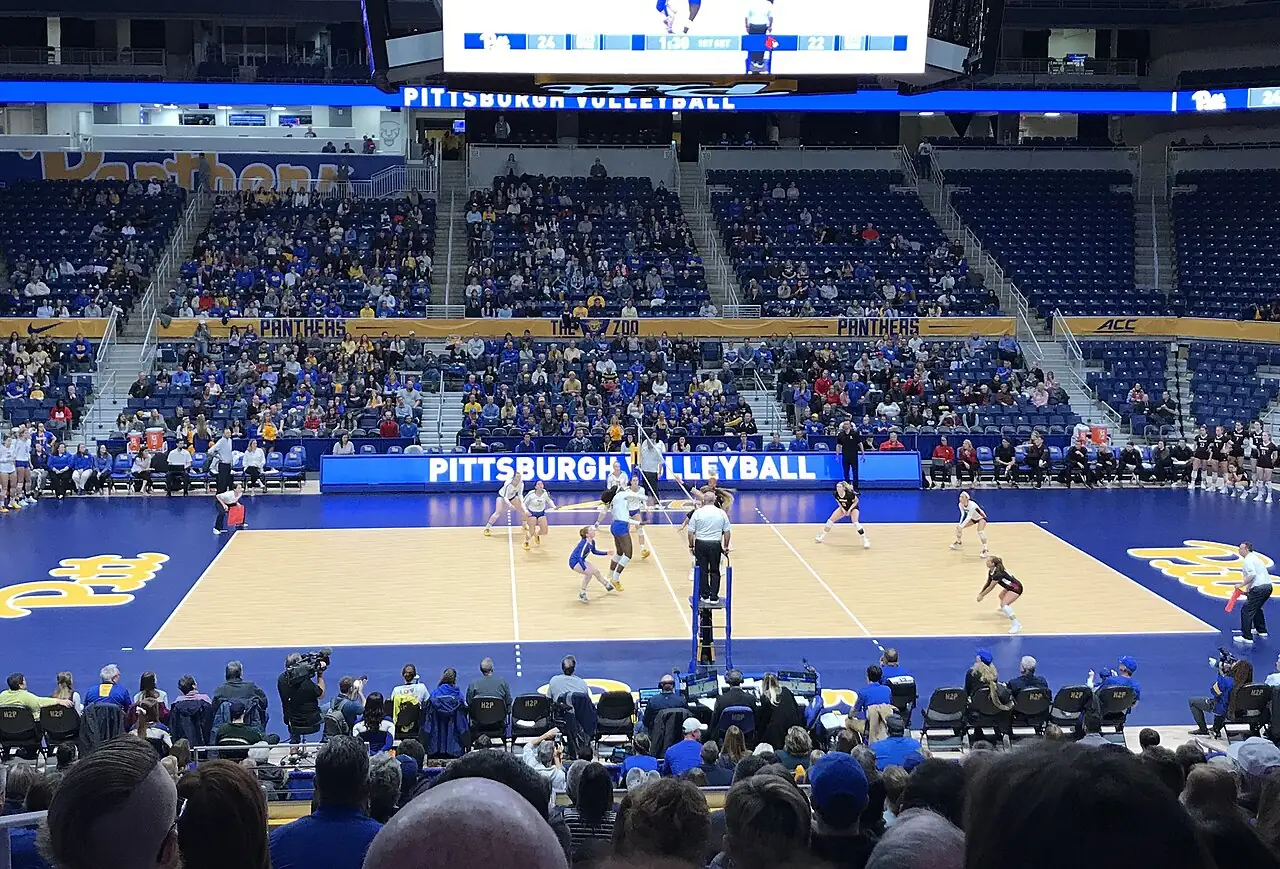
Image source and license
- Original photograph
- PittVolleyball2019Pete.jpg
- Source address
- https://commons.wikimedia.org/wiki/File:PittVolleyball2019Pete.jpg
- License address
- https://creativecommons.org/licenses/by-sa/4.0
- Preparation
- Full frame retained; resized and converted to WebP for the web. Image remains available under its source license.
In this guide
The comparison that matters
| Question | ACC Network | ACC Network Extra |
|---|---|---|
| What is it? | A scheduled television network | Additional digital event coverage |
| How do you find a match? | Channel guide or authorized network stream | Individual event tile in ESPN Watch |
| Does a free ESPN login establish access? | No | No |
| Can an eligible provider supply access? | Check your channel package | Check the provider access |
| Does Unlimited include it? | Included in ESPN's stated offering | Included in ESPN's stated offering |
The ACC's own frequently asked questions also distinguish the channel and digital coverage and describe access through eligible providers or ESPN Unlimited. Always check your actual package rather than treating a provider logo as proof that every tier qualifies. [2]
Why volleyball uses both
A television channel can show only one scheduled program at a time. Digital coverage creates room for more events, including matches taking place alongside other broadcasts. ACCN and ACCNX therefore describe how you receive a match, rather than its importance to a conference race.
The same team can move between them during the season. Follow the label beside the individual date in the TV schedule hub, then confirm it through the school or conference. The fact that you watched an ACC team successfully last weekend doesn't settle which route its next match uses.
This page explains the shared network rules. For team-specific match finding, use the Louisville guide or Pitt guide, with links to their schedules.
How to find an ACCN match
If your television package includes ACC Network, open the channel guide at the listed time. If watching through an app, use the supported network-stream route and complete any provider authentication required for your account.
Do not confuse signing into ESPN with proving access to a channel. An app login can identify you while the provider connection establishes what you may watch. One can work while the other needs activation or correction.
Also read the schedule's time zone. A national listing, a school's Eastern-time schedule and a viewer's local device clock can display different times without describing different events.

Image source and license
- Original photograph
- Sony television camera with DIGI SUPER 86II xs 20120211a.jpg
- Source address
- https://commons.wikimedia.org/wiki/File:Sony_television_camera_with_DIGI_SUPER_86II_xs_20120211a.jpg
- License address
- https://creativecommons.org/licenses/by-sa/3.0
- Preparation
- Full frame retained; resized and converted to WebP for the web. Image remains available under its source license.
How to find an ACCNX match
Start with the school's Watch link for the date you want. If you're opening ESPN manually, go to its viewing area and look for ACC Network Extra or search both team names. ESPN's instructions identify the Browse or Channels area as the route into ACCNX. Menu wording can differ by device. [1]
Select the current volleyball match and read its status. An upcoming tile waits for its event window, a live tile opens current coverage, and a replay belongs to a finished event. Those differences explain some apparent failures before you even reach account troubleshooting.
Connect the access route you use: the qualifying television provider or the appropriate direct ESPN account. After the event opens, save the match page if you plan to return. There is no reason to start another broad search at first serve.
Is ACCNX included with ESPN+?
A subscription limited to ESPN+ content is not blanket access to ACCNX. ESPN Unlimited is the broader offering that lists ACCN and ACCNX alongside ESPN+ and its other networks. Read the plan name in your account before buying another product. [3]
The app can display a match that your current plan doesn't include. Think of the app as the viewing menu: seeing a program there helps you find it, but doesn't establish that you have paid access to everything on the menu.
This is why two viewers can open the same match and see different prompts. One may have connected an eligible provider; another may have a narrower direct subscription. Compare those account details rather than assuming that one person's working app proves every ESPN account should play the event.
Fixing a locked ACCNX event
Check the matchup and date first. Then read the prompt. A request to connect a television provider points you toward that connection; an offer to change your direct plan points toward the account's coverage. Don't treat both as a generic playback failure.
If you already receive the required coverage, make sure the app is using the right household login. On a television, finish any device-code activation; on another screen, check the saved provider. An old connection can remain after the household changes services.
If the video starts and buffers, leave the subscription comparison alone and test the supported app, browser and connection. For an unresolved lock, give support the exact ACCNX event, device and error. That keeps the request about access to a known match.
What happens when a match changes networks?
A changed assignment can leave an older calendar note or saved link out of date. Return to the school's latest match preview and official fixture. Read the named network again instead of assuming the previous access path remains correct.
For group viewing, send a short corrected message containing the matchup, date, time zone and new broadcaster. That prevents friends from spending the first set looking for the old tile.
Treat TBA as a prompt to return later. It is better to wait for confirmation than recommend a paid plan based on the broadcaster used for the same matchup in another season.
Read an access offer without buying the same thing twice
Before a new purchase, identify what the household already has. A qualifying television package can supply a provider route, while a direct plan may supply the same match through an ESPN account. Owning both isn't automatically necessary to solve one ACCNX viewing problem.
Compare four details: the network or digital event included, the account receiving the benefit, the supported way to activate it and the next charge. A television package and a direct app subscription can look similar from the couch while being billed and managed differently.
For example, a viewer who can receive ACC Network through a television package should investigate the package's digital-access instructions before opening another subscription. A viewer whose direct account includes only ESPN+ content should inspect a broader offering or eligible provider access for ACCNX. These are different starting points, even if both viewers began at the same locked tile.
If your access comes through a bundle, find the activation instructions associated with that benefit. Paying a bill and connecting the benefit to the viewing account can be separate actions. Check the provider or plan's current instructions rather than assuming the app will recognize the payment automatically.
Only compare a new subscription after those checks. Look at the full renewal amount and any channel add-on, then decide whether it fits the matches you expect to watch. A longer list of sports isn't useful if the one missing item is still the ACCNX event you came for.
Understand the labels on the screen
| Label or prompt | What it tells you | Next useful action |
|---|---|---|
| ACCN | The match is on the television network | Open the channel or its authorized stream |
| ACCNX | The match is additional digital coverage | Select the individual event |
| Connect provider | The app needs that account connection | Use the qualifying television-service login |
| Subscribe or upgrade | The signed-in plan may lack access | Compare the match with the plan inclusions |
| Upcoming | The broadcast window has not begun | Confirm the date and source time zone |
| Replay | You are opening a completed match | Check that it is the meeting you wanted |
The abbreviation and the prompt answer different questions. ACCNX identifies the event's distribution; a provider prompt identifies a step needed to open it. Reading both prevents an unnecessary detour through channel numbers or device resets.
For a family member less familiar with sports apps, demonstrate the path once before the match. Open a channel-guide entry and then an individual digital event. That short demonstration is often easier to remember than a long explanation of similar subscription names.
Recording ACCN and finding an ACCNX replay
A recording scheduled for the ACC Network television channel follows that channel's program. It doesn't automatically capture a separate ACCNX event taking place at the same time. Confirm which distribution label belongs to the volleyball match before relying on a channel recording.
For a digital event, inspect the service's replay listing and available playback features. Some viewers will prefer a supported start-from-beginning option; others need an archive after work. Check the option for the actual match rather than assuming it behaves like a channel recording you already use.
If you only have time for delayed watching, investigate that route before a new subscription. A plan is useful when it supplies the form of viewing you need, not merely when its menu includes the team logo. The replay guide covers archive searches and spoiler avoidance separately.
Sources
- ESPN: How to watch ACCNXhttps://support.espn.com/hc/en-us/articles/52883230333076-How-do-I-watch-ACCNX
- ACC: Network frequently asked questionshttps://theacc.com/news/2019/3/11/general-acc-network-frequently-asked-questions.aspx
- ESPN: What Unlimited includeshttps://support.espn.com/hc/en-us/articles/40375339514260-What-is-ESPN-Unlimited