Streaming Guide
How to Watch College Volleyball Without Cable in 2026
Sources reviewed ; current research and later results are reflected in this review.
You can watch college volleyball without cable in 2026, but the right subscription depends on the match. Start with the broadcaster beside the fixture, then choose a service that carries it. Buying an app because it has your conference's name is how fans end up paying twice and still staring at a locked screen.
The good news is that you do not need every sports subscription. A fan following one team can usually make a much smaller plan than someone watching several conferences. The trick is to separate television channels, streaming-only events and the accounts that unlock them.
This guide focuses on NCAA Division I women's indoor volleyball in the United States. International availability can differ. Use our team schedules to find a fixture, then confirm the current watch listing with the school or broadcaster before spending money.
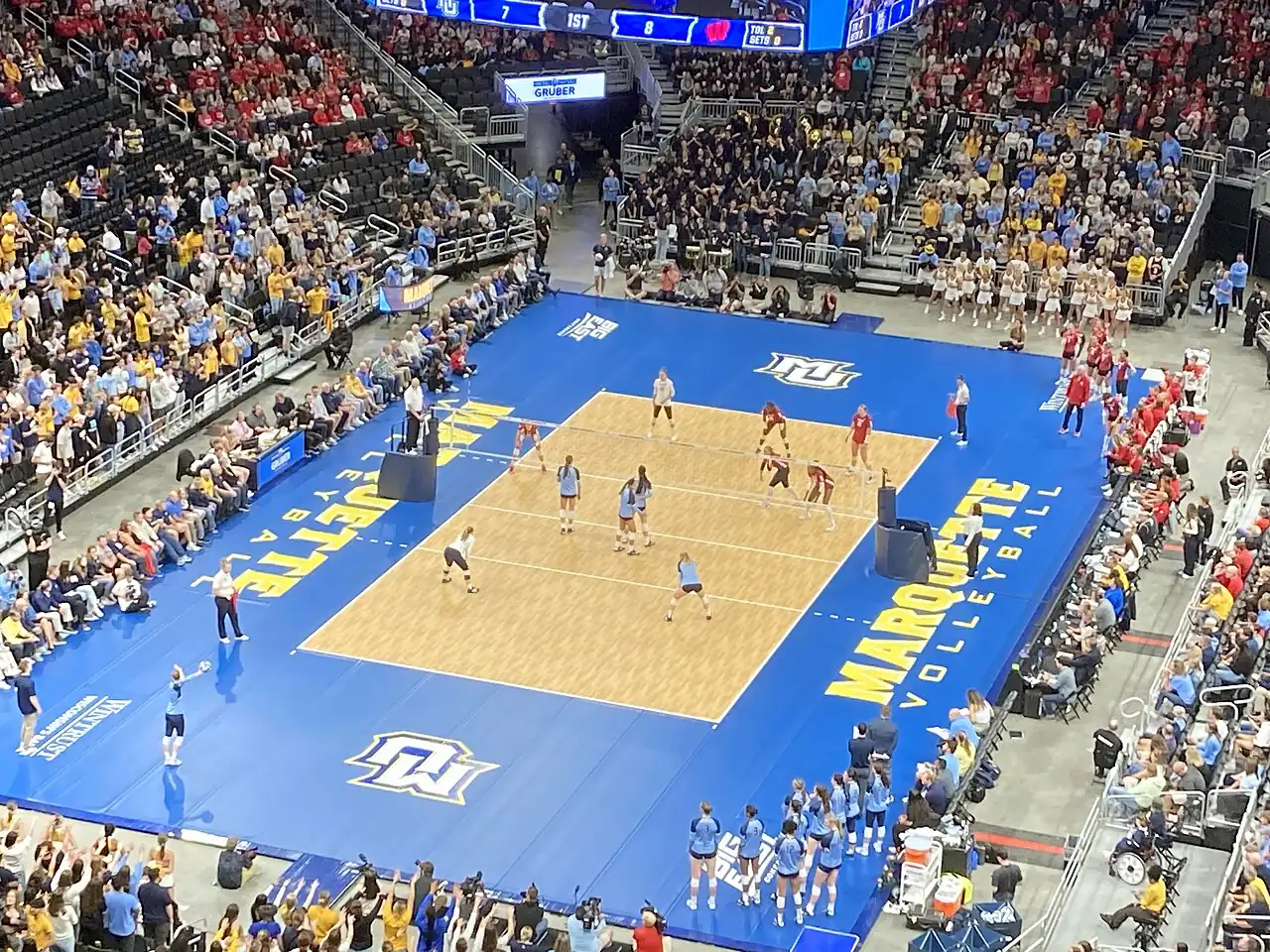
Image source and license
- Original photograph
- Wisconsin vs. Marquette women's volleyball 2023 04 (in-match action).jpg
- Source address
- https://commons.wikimedia.org/wiki/File:Wisconsin_vs._Marquette_women%27s_volleyball_2023_04_(in-match_action).jpg
- License address
- https://creativecommons.org/licenses/by-sa/4.0
- Preparation
- Full frame retained; resized and converted to WebP for the web. Image remains available under its source license.
In this guide
Start with the match, rather than the subscription
Open your team's schedule and find three details: the opponent, the date and the exact broadcast label. “ESPN,” “ESPN+” and “SEC Network+” can all lead into the ESPN app, but they describe different coverage. Likewise, BTN and B1G+ share a conference connection without being the same product.
Then follow the official Watch entry for that particular match. It should take you toward the correct event page. If the listing says TBA, leave it unresolved. A previous match on one service does not establish the rights for the next match, especially when your team travels outside its conference.
Keep a short watch list for the next two or three weeks. That is long enough to spot your subscription needs without pretending that every late-season broadcast assignment is final. Our weekly television guide can help organize that first pass.
Match the conference to the likely viewing route
Conference membership gives you a useful starting point. It is not a promise that every home match, road match or tournament will appear in the same place. National selections and nonconference hosts create exceptions.
| Match listing | What to investigate first |
|---|---|
| BTN | A current package carrying Big Ten Network, or an eligible direct FOX viewing option |
| B1G+ | The separate B1G+ event and subscription |
| SEC Network or ACC Network | A qualifying television package or ESPN Unlimited |
| SECN+ or ACCNX | The event's ESPN access requirements, including eligible provider authentication or Unlimited |
| ESPN, ESPN2 or ESPNU | Access to that specific network, not simply an ESPN+ content subscription |
| ESPN+ | ESPN+ content available through ESPN Select or Unlimited |
| Another broadcaster | The host school's official Watch link and that broadcaster's current offering |
ESPN's official plan page lists the networks and services included in Unlimited, while the Big Ten's network guide explains its television and digital viewing routes. Treat those product descriptions as the starting point, then check the individual event. [1] [2]
Big Ten fans: account for BTN and B1G+
If you follow Nebraska, Wisconsin, Penn State or another Big Ten program, check how many upcoming matches say BTN and how many say B1G+. That split is more useful than asking which app is “the Big Ten app.”
B1G+ focuses on additional, nontelevised competition. Its live schedule does not become a live BTN channel subscription. A match appearing later in an archive also does not mean it was included live. The service's own explanation describes what its subscription covers. [3]
A practical approach is to mark the B1G+ matches you genuinely want to see. If there are only a few, compare a short subscription with your existing television access before choosing a longer commitment. Read the renewal terms at checkout, and make sure your intended device supports the service.
SEC and ACC fans: learn the ESPN labels
For SEC and ACC volleyball, the ESPN app can be the viewing destination for several different kinds of access. The destination alone does not tell you what you own. A free account, an ESPN Select subscription and an authenticated television package are different things.
ESPN Unlimited includes ESPN's wider network offering, while Select supplies ESPN+ content. Eligible television subscribers may also have activation options through their provider. Check that entitlement before opening a second paid account. ESPN's provider-activation instructions explain how to connect an eligible subscription. [1] [4]
For a single match, read the label first. If Texas is listed on SEC Network, look for SEC Network access. If Pitt is listed on ACCNX, open that event and check its stated access requirement. Do not assume that buying the least expensive ESPN plan unlocks every tile displayed inside the app.
Big 12 and other conferences: follow the actual listing
Fans outside the Big Ten, SEC and ACC should use the same match-first method. A league can have a common media partner and still place selected matches on a television channel, another platform or a host-operated stream.
Nonconference tournaments deserve special attention. The team you follow might be the visitor at a neutral-site event with a separate production arrangement. Check the tournament organizer's official page alongside the school's schedule. If the school provides a direct event link, use that instead of searching for a similarly named stream.
Avoid building a season plan around an old article about conference rights. Realignment, broadcast selections and product changes make older advice unreliable. A current event listing gives you something concrete to verify: these two teams, on this date, through this service.
Choose between a broad package and a narrow plan
A live television streaming package can make sense if your household watches several sports and already needs multiple channels. Compare the exact lineup for your ZIP code and package level. “Sports included” is too broad to answer a volleyball question.
A narrow plan works better when you follow one program and can tolerate missing an occasional match. Make a list of the matches you care about most, identify their services, and calculate the cost across the months you need. An annual discount is not automatically a saving if your interest ends after the tournament.
Do not compare introductory prices alone. Include the regular renewal price, required add-ons, taxes where applicable and any device or stream limits that affect your household. Leave a note with the cancellation date somewhere you will actually see it.
Can an antenna help?
An antenna can be useful when a match airs on a local over-the-air station you can receive. It will not unlock subscription cable networks or streaming-only events. Reception also depends on your location, building and equipment.
Before buying one for a particular broadcast, confirm that the match is on the station available in your area. An announcement naming a national network is not a reception guarantee at your address. Check the local station's own schedule as the date approaches.
Think of antenna access as one part of your plan. It can complement a streaming subscription for selected national broadcasts, but it does not solve a schedule full of B1G+ or conference digital events.
Image source and license
- Original photograph
- Sony television camera with DIGI SUPER 86II xs 20120211a.jpg
- Source address
- https://commons.wikimedia.org/wiki/File:Sony_television_camera_with_DIGI_SUPER_86II_xs_20120211a.jpg
- License address
- https://creativecommons.org/licenses/by-sa/3.0
- Preparation
- Full frame retained; resized and converted to WebP for the web. Image remains available under its source license.
Test the setup before first serve
The most useful preparation takes five minutes on an ordinary afternoon. Install the app on the television you plan to use, sign in, and try a piece of content included with your subscription. A working phone login does not prove that the living-room television is activated.
Save the event page once it appears. Check the time zone, particularly for Big Ten road trips and neutral-site matches. If you are hosting friends, leave enough time to resolve a login problem before the introductions begin.
Keep the official live-statistics page available as a backup. It will not replace the broadcast, but it lets you follow the score while troubleshooting. Many school schedules also list radio coverage when available; use the specific match listing rather than assuming every program provides it.
When the stream is locked or missing
A lock usually calls for an access check before a payment. Confirm that you are signed into the intended account, that the subscription is active and that the event belongs to that plan. If provider authentication is required, connect the correct provider account.
If the video buffers, separate connection problems from entitlement problems. A message asking for a provider is different from a stream that starts and stalls. Try a supported browser or device, restart the app, and consult the service's official help page for its current troubleshooting steps.
When the event has disappeared, return to the school's schedule. The time, broadcaster or event link may have changed. Avoid unofficial stream directories asking you to install extensions or enter payment information to “verify” a free feed.
Keep one shared household note
A short shared note can prevent duplicate purchases. List the service, account owner, renewal date and volleyball matches it is meant to cover. Leave passwords in your normal secure password system. If another person buys access independently, compare the coverage before both subscriptions renew for another month.
A simple viewing plan you can keep using
For a Nebraska fan, the first useful document is a list separating BTN, B1G+ and other national selections. For a Texas fan, it is a list separating SEC Network, SECN+ and other ESPN networks. For a household following both teams, compare the overlap before adding another service.
Review that list when your subscription renews. If the remaining matches use a different platform, adjust your plan. The objective is reliable access to the volleyball you want, at a cost you understand, rather than collecting as many apps as possible.
Start with the next match on your team's schedule, follow its official viewing information, and test the login early. That small routine is the most dependable way to spend less time shopping for streams and more time watching the match.
Sources
- ESPN subscription plans and included networkshttps://plus.espn.com/
- Big Ten Conference: About Big Ten Networkhttps://bigten.org/sports/2026/7/22/big-ten-network.aspx
- B1G+ Help: What is B1G+?https://support.bigtenplus.com/hc/en-us/articles/4404943755410-What-is-B1G
- ESPN: Activating Unlimited through an eligible television providerhttps://support.espn.com/hc/en-us/articles/40375424133780-How-do-I-activate-my-ESPN-Unlimited-plan-through-my-Pay-TV-Provider