
Streaming Guide
BTN vs. B1G+: Which Do You Need to Watch Volleyball?
Sources reviewed ; current research and later results are reflected in this review.
BTN is a television network. B1G+ is a separate subscription streaming service that carries additional Big Ten events. For volleyball, the label beside the match tells you which one to investigate. A B1G+ subscription should not be treated as a live subscription to the BTN television channel.
That distinction sounds small until your team is about to serve and the screen asks you to buy something else. Both products use Big Ten branding. Both can appear on the same schedule. They can even contain coverage involving the same teams, which makes it easy to assume that one payment covers everything.
Here is how to work out what you need for a particular match, choose a sensible viewing plan and avoid the most common access mistakes. The focus is live NCAA women's volleyball, although archives and other sports can appear alongside it.
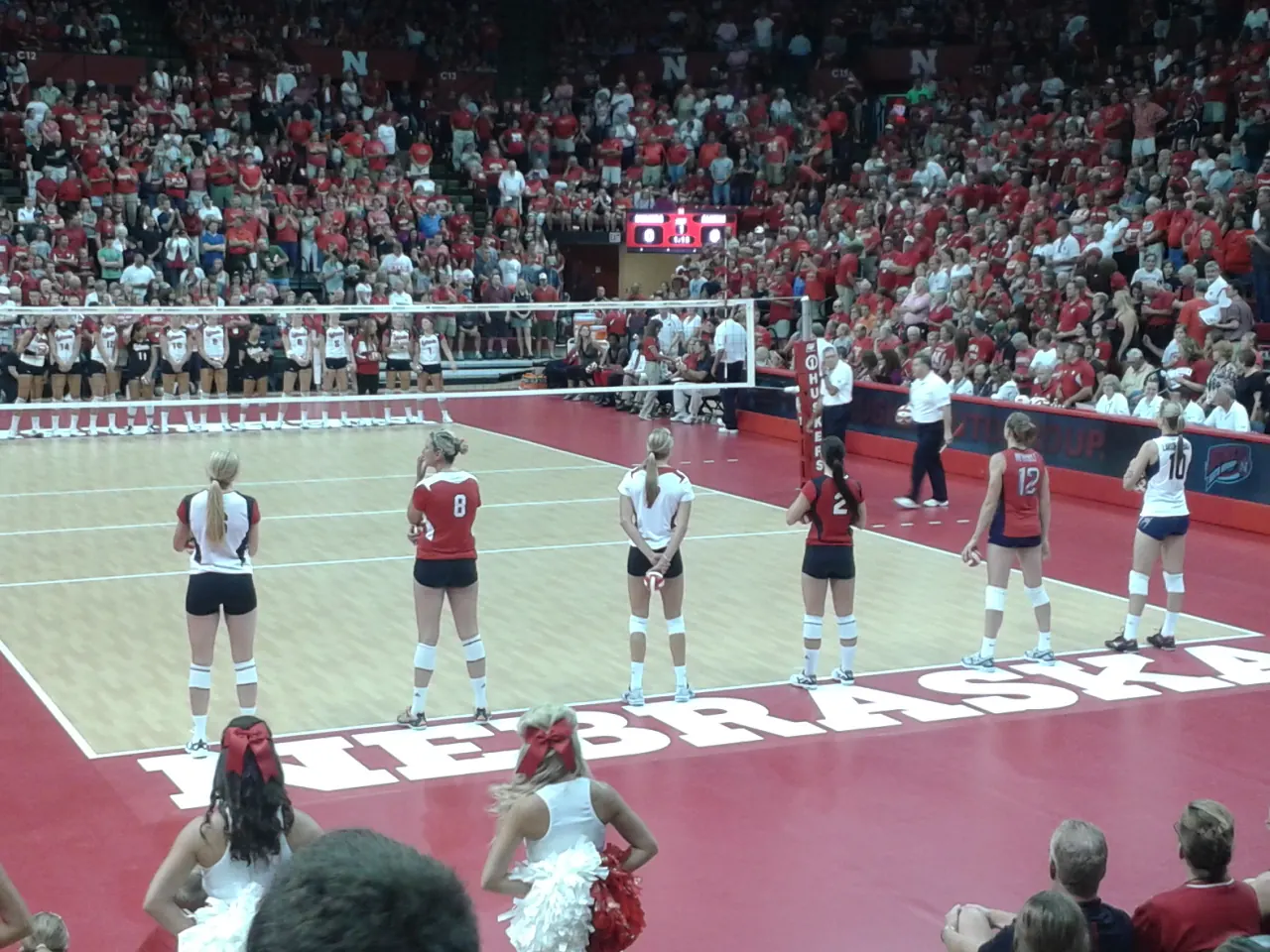
Image source and license
- Original photograph
- NebraskaVolleyballScrimmageLineup2013.jpg
- Source address
- https://commons.wikimedia.org/wiki/File:NebraskaVolleyballScrimmageLineup2013.jpg
- License address
- https://creativecommons.org/licenses/by-sa/3.0
- Preparation
- Full frame retained; resized and converted to WebP for the web. Image remains available under its source license.
In this guide
The quickest way to tell them apart
Read the broadcast entry literally. If it says BTN or Big Ten Network, look for access to that network. If it says B1G+, open the event on the B1G+ service and check your subscription there. Neither label is shorthand for “any Big Ten account will work.”
The conference's network guide describes BTN's distribution and authenticated viewing routes. B1G+'s own help center describes its separate coverage of nontelevised competition. Those are the useful product definitions, rather than an app-store search result with similar branding. [1] [2]
| Question | BTN | B1G+ |
|---|---|---|
| What are you trying to watch? | Programming assigned to the television network | An event listed on the separate streaming service |
| What access should you verify? | A current package or direct option carrying BTN | A qualifying B1G+ subscription |
| Does the other subscription automatically cover it? | Do not assume so | Do not assume so |
| What is the best starting point? | The school's event listing and BTN schedule | The school's event listing and B1G+ event page |
What BTN means on a volleyball schedule
A BTN designation identifies the television broadcaster. Your next question is how your household receives that channel. A traditional television package is one route, but cable-free options can also carry it. Check the current lineup and your exact package rather than relying on a general advertisement.
The Big Ten's 2026 broadcast announcement also identifies FOX One as a streaming route for televised programming. That creates another option to investigate, but the same principle applies: verify the current product's coverage and the specific event before subscribing. [3]
If you already pay for a service carrying BTN, start there. Search its guide for the matchup and confirm the date. If you plan to use an authenticated app instead, complete that connection early. Paying for a channel and successfully signing into its viewing app are separate steps.
What B1G+ adds
B1G+ gives fans a home for additional events that do not receive the same television assignment. Its live productions can differ by school and event. The service describes coverage ranging from school-partnered productions to other available feeds, so production style is not necessarily identical from one venue to the next. [4]
For a dedicated volleyball fan, that extra inventory can be the point. A midweek match that matters to your team's season may be available there even when it is absent from the BTN television guide. You are buying access to the listed event, not a promise that every conference match appears in one place.
Check the subscription's scope, term and renewal conditions at checkout. Products and promotions can change. A price quoted in an old forum post is less useful than the actual offer attached to your account today.
Do you need both?
You might, depending on the matches you want to watch. Pull up the next month of your team's schedule and separate BTN assignments from B1G+ assignments. Put any FOX, FS1, ESPN or other broadcaster in another column. That short exercise gives you a real answer.
A fan who wants every available match may find that two services cover different parts of the schedule. Someone who mainly watches major weekend broadcasts might make a different choice. Neither person needs to purchase a full season of everything without checking the calendar.
If you follow several Big Ten programs, make one combined list. Count distinct events and avoid treating a match appearing on both teams' schedules as two separate viewing needs. Our Big Ten conference hub and team schedules can help you start organizing those fixtures.
Nebraska is a useful example
Nebraska's official 2026 BTN announcement says that home matches and Big Ten road matches not selected for television will be available through B1G+. That makes the distinction especially practical for Huskers fans: television selections and additional digital matches require attention to different labels. [5]
It does not follow that every Nebraska match everywhere belongs to B1G+. A nonconference road trip or an independently organized event can involve another rights holder. Always open the actual fixture. The home-versus-away context matters more than a familiar team logo on the service's homepage.
Use the Nebraska schedule to find the match, then check Nebraska's official entry for the final Watch information. This is more reliable than keeping a screenshot of a preseason broadcast release all autumn.

Image source and license
- Original photograph
- University of Wisconsin Field House.jpg
- Source address
- https://commons.wikimedia.org/wiki/File:University_of_Wisconsin_Field_House.jpg
- License address
- https://creativecommons.org/licenses/by-sa/2.0
- Preparation
- Full frame retained; resized and converted to WebP for the web. Image remains available under its source license.
How to find the correct event
Search for both teams, not just your favorite school's name. Confirm the season, date and whether the tile says live, upcoming, replay or highlights. An archive from an earlier meeting can look convincing when you are searching quickly.
If the team schedule and the service disagree, check the latest school match preview or broadcaster schedule. Television assignments can change, and a digital event page may appear closer to first serve. An empty search result several days ahead does not establish that the match will be unavailable.
Do not use a replay tile as proof of live access. A service may carry archived programming under a different arrangement. The question you need answered is specific: does this subscription include this event live at the listed time?
What to do when BTN asks for a provider
First check whether you are trying to watch the BTN channel through an authenticated viewing route. That can require the credentials for a participating television service carrying BTN. A B1G+ email address is not a replacement for those credentials.
If your package includes BTN, check that you selected the correct provider and account. Some households have separate logins for billing, streaming and add-on services. Follow the provider's activation instructions instead of repeatedly resetting the password for an unrelated app.
If BTN is missing from your package, compare options that explicitly include it. Do not purchase B1G+ as a workaround for a television-channel entitlement problem. You would be buying a different product and could still miss the match you wanted.
What to do when B1G+ will not play
Check that the event is actually assigned to B1G+, that your subscription is active and that you are signed into the account used for the purchase. If you subscribed through another platform, follow the service's instructions for recognizing that purchase.
Next check the device. B1G+ publishes a list of supported viewing methods and notes that smart television browsers are not supported. A supported app or external streaming device may be a better option than the television's built-in web browser. [6]
When the video starts but freezes, treat that as a playback issue. Try a supported browser, restart the app and test the connection. When the message instead asks for a different subscription, resolve the account or event entitlement before changing picture settings.
Replays can help, but check the details
If you cannot watch live, search the official archive after the match. Confirm that you have found a full replay rather than a short highlight package. Also check whether the recording requires a subscription and whether the archive has a stated availability window.
Avoid promising yourself that every televised match will appear immediately on the same service. Timing and archive rights can differ. If a particular match matters, investigate the replay option beforehand or use a recording feature included with your television service when permitted.
For spoiler-free viewing, open a saved event page rather than the team's homepage. News headlines and score widgets can reveal the result before you press play. Turn off score notifications if you want the closest possible experience to watching live.
If you only want a few matches
You do not have to solve the whole season at once. Pick the next must-watch fixture and verify its access, then check whether nearby matches use the same product. That gives you a sensible first decision without pretending you know every later assignment.
Keep the purchase confirmation and renewal date with your calendar. The useful outcome is a working route to those matches, with a bill you can explain, rather than a subscription whose purpose you forget after the first weekend.
A better way to budget for the season
Work backward from your calendar. List the matches you would be disappointed to miss, identify their broadcast labels and compare the subscription periods that cover them. Include renewal prices and any add-ons needed to receive BTN.
If you mainly want B1G+ for several matches in one month, consider that period before committing for longer. If you also follow basketball, wrestling or other sports, your calculation may change. The useful comparison is your actual viewing, rather than the largest event total in an advertisement.
Test everything before your first must-watch match. The ideal time to discover an unsupported device or an expired login is an afternoon without a match on the line. Once the setup works, keep the process simple: fixture, broadcast label, correct account, play.
Sources
- Big Ten Conference: About Big Ten Networkhttps://bigten.org/sports/2026/7/22/big-ten-network.aspx
- B1G+ Help: What is B1G+?https://support.bigtenplus.com/hc/en-us/articles/4404943755410-What-is-B1G
- Big Ten: 2026 volleyball television coveragehttps://bigten.org/news/2026/8/3/fox-to-broadcast-big-ten-volleyball-tournament-championship-match-as-part-of-historic-television-coverage-for-2026-60217.aspx
- B1G+ Help: Available live streamshttps://support.bigtenplus.com/hc/en-us/articles/4404943754642-What-type-of-live-streams-are-available-on-B1G
- Nebraska: BTN announces volleyball television schedulehttps://huskers.com/news/2026/08/03/btn-announces-volleyball-tv-schedule
- B1G+ Help: Where to watchhttps://support.bigtenplus.com/hc/en-us/articles/4404943756178-Where-do-I-watch-B1G