
Team Viewing Guide
How to Watch Wisconsin Volleyball in 2026
Sources reviewed ; current research and later results are reflected in this review.
To watch Wisconsin volleyball in 2026, find the match on the Badgers' official schedule and read its television or streaming label. BTN and B1G+ are different viewing routes, and nationally selected or nonconference matches can involve other broadcasters.
The most useful first step is a short list of the Wisconsin fixtures you actually want to watch. That lets you compare subscriptions around real matches instead of paying for a service because its logo looks familiar.
Our Wisconsin volleyball schedule brings the season together for planning. Confirm the final Watch information with Wisconsin Athletics before buying access. This guide explains how to turn that listing into a dependable setup for home matches, road trips and replay nights.
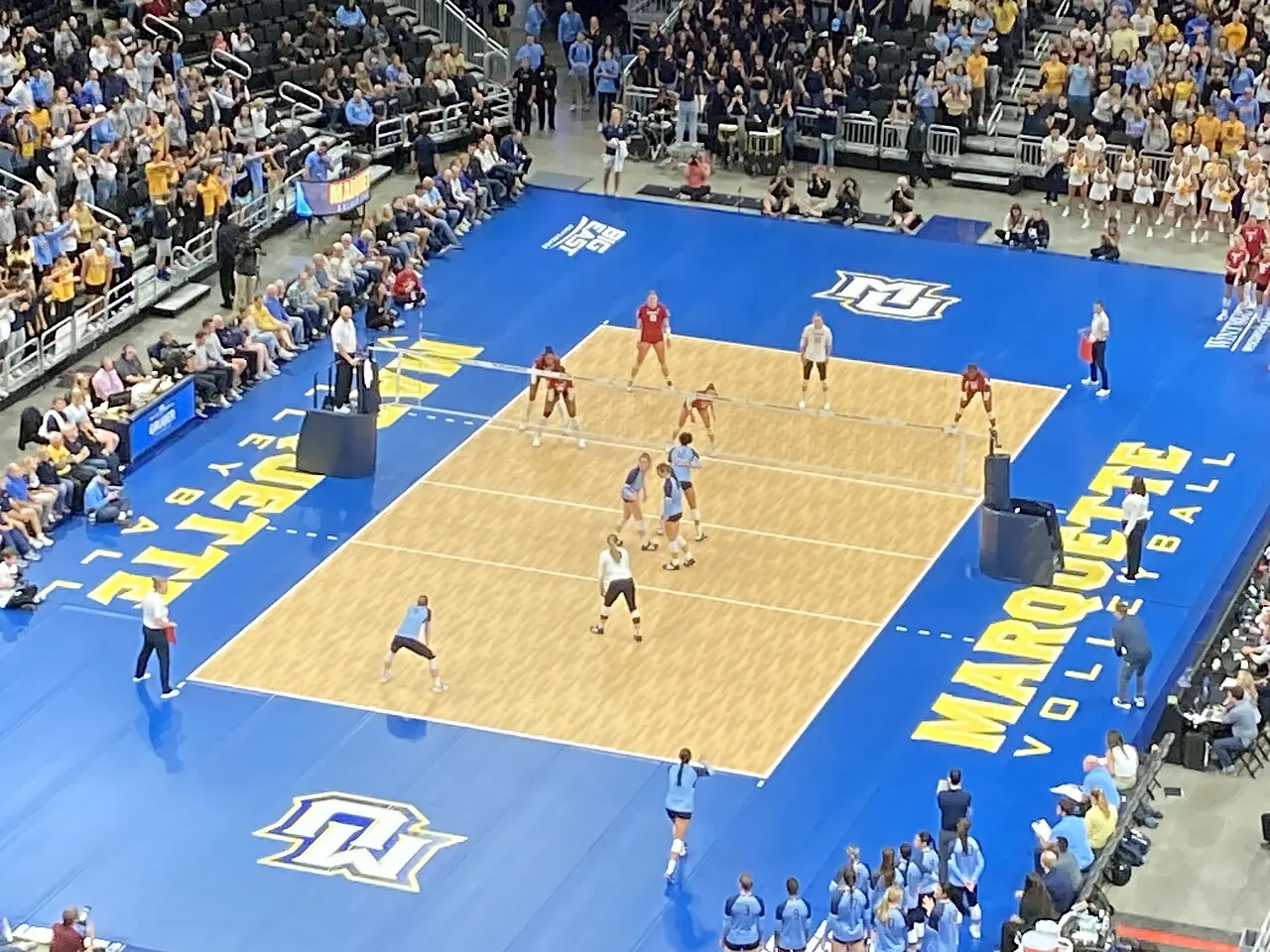
Image source and license
- Original photograph
- Wisconsin vs. Marquette women's volleyball 2023 08 (in-match action).jpg
- Source address
- https://commons.wikimedia.org/wiki/File:Wisconsin_vs._Marquette_women%27s_volleyball_2023_08_(in-match_action).jpg
- License address
- https://creativecommons.org/licenses/by-sa/4.0
- Preparation
- Full frame retained; resized and converted to WebP for the web. Image remains available under its source license.
In this guide
Begin with the right Wisconsin schedule
Make sure you have the 2026 women's indoor volleyball season, not a previous year's archive or another Wisconsin sport. Search engines can return old matchup pages that still look current until you inspect the date.
Wisconsin's official schedule lists the event-specific coverage and links associated with each fixture. Use the current match row, then check the latest preview if you need clarification. A season announcement cannot account for every later adjustment. [1]
Write down the opponent, venue, first-serve time and broadcast label. A note that says only “Badgers game tonight” leaves too much work until the last minute. A clear row gives you one event and one access question to resolve.
BTN and B1G+ are the main distinction to learn
BTN is Big Ten Network, a television channel. B1G+ is a separate streaming subscription for additional events. A package carrying BTN should not be assumed to include B1G+, and a B1G+ subscription should not be treated as a live BTN channel pass.
The Big Ten's own network information and B1G+'s product explanation make that separation clear. For Wisconsin fans, it means that the exact label beside each fixture matters more than the conference branding shared by the products. [2] [3]
| Wisconsin match label | Your next step |
|---|---|
| BTN | Check access to the Big Ten Network channel |
| B1G+ | Check the event and subscription on B1G+ |
| Another named channel | Verify that channel or its authorized streaming route |
| TBA | Recheck the official schedule before paying |
If you already receive BTN
Search your current television or live-streaming guide for the matchup. Confirm that BTN is included in your actual package and that you have selected the correct date. A provider may advertise the network while placing it in a package you do not own.
If you prefer an authenticated viewing app, connect the qualifying provider account in advance. Keep track of which credentials belong to the provider and which belong to the viewing app. Repeatedly resetting the wrong password is an easy way to lose time without fixing access.
The Big Ten's 2026 television announcement also describes FOX One coverage for televised programming. If you are comparing direct streaming options, verify the current offering and the match's assignment before subscribing. [4]
When Wisconsin is on B1G+
Open the official event through B1G+ and check that your account recognizes an active subscription. Confirm both teams and the match date. A replay tile from a previous Wisconsin meeting can appear near an upcoming live event in search results.
Read the current subscription scope, price and renewal term at checkout. Promotions and product details can change, so a fan's old screenshot is not a reliable statement of what you will pay today.
Then test your device. B1G+ publishes supported viewing methods and notes that smart television browsers are not supported. If you planned to use the television's browser, investigate a supported app or connected device before first serve. [5]
Nonconference and national matches can use another route
A Wisconsin match involving an opponent from another league may follow a different viewing arrangement, especially away from home. The host school's official listing is a useful cross-check when a general Big Ten viewing guide does not answer the question.
National television assignments also need their own entitlement check. If a match says ESPN or ESPN2, do not assume a subscription limited to ESPN+ content covers it. ESPN's current plan descriptions distinguish Select from the wider network access in Unlimited. [6]
Treat each broadcaster as a specific requirement. You do not need every service for the season by default; you need to identify which gaps remain after accounting for the access your household already owns.

Image source and license
- Original photograph
- University of Wisconsin Field House.jpg
- Source address
- https://commons.wikimedia.org/wiki/File:University_of_Wisconsin_Field_House.jpg
- License address
- https://creativecommons.org/licenses/by-sa/2.0
- Preparation
- Full frame retained; resized and converted to WebP for the web. Image remains available under its source license.
Make the Central-time conversion once
Madison uses Central time, but conference and national releases often present schedules in Eastern time. Check the label before assuming two listings disagree. A one-hour difference may be a time-zone conversion rather than a changed first serve.
For road matches, the host's local time can add another layer. Put the converted time into your calendar and leave the source zone in the note. That makes it easier to explain the plan to a friend watching from another state.
If a start time is pending, keep it pending. Do not let a calendar placeholder become a promise. Recheck Wisconsin's schedule as match day approaches, particularly for events with earlier matches that can affect the practical start.
A television rehearsal saves the opening set
Test the exact screen you plan to use. Sign in, find an included video and check the sound. If you are hosting friends, make sure someone knows how to switch between the live stream, the guide and playback controls.
Save the matchup once it appears on the service. That reduces the risk of choosing a highlight package or an old replay when you are searching under pressure. Keep the official event page available on another device as a reference.
If you intend to cast or connect a laptop, test that method too. The connection can behave differently from ordinary video playback. A working fallback is useful; an untested collection of adapters is only a possibility.
Watch the rotations as well as the score
Once the stream is working, a little context makes the match more rewarding. Notice which Wisconsin rotation is receiving serve, where the setter starts and whether the team can keep its middle attack available after the first contact.
If a long serving run changes the set, watch the quality of the passes rather than blaming the final swing automatically. An attacker facing an organized double block may be dealing with a problem created earlier in the rally.
Keep these observations separate from statistical conclusions. A television angle can suggest a pattern, but the official box score and a full replay are better tools for checking it. Our positions guide explains the roles if you are still learning who does what.
When the stream refuses to cooperate
A locked event calls for an account check. Read the match label, confirm your subscription and reconnect the appropriate provider if required. An active account for one product does not guarantee access to another.
A stream that starts and then stalls calls for a playback check. Restart the app, test the connection and try a supported alternative device. Check the service's official help information rather than repeatedly purchasing access through different accounts.
If the event has vanished, return to Wisconsin's official schedule and latest preview. A network change, updated link or timing adjustment can explain the problem. Avoid unofficial directories requesting extensions or payment verification for a supposedly free stream.
Following Wisconsin when you cannot watch live
Use the official live-statistics link to follow the match when video is unavailable. It can help during travel or while you troubleshoot. Confirm the fixture because the same teams can meet more than once and different hosts can use different statistics systems.
For a replay, investigate the official archive or your service's recording option. Check that you have the full match and read any availability limits. Do not assume that a short highlight package contains the sequence you wanted to study.
If you want to avoid spoilers, save the direct video page and disable score notifications before the match. Team homepages and recap headlines are designed to tell you what happened, which is exactly what you may be trying not to learn yet.
Watching from outside Wisconsin
Living away from Madison does not change the need to identify the specific event. Do not assume an old local viewing arrangement follows you to another state or country. Confirm the product's availability where you will actually watch, especially when traveling.
If you are visiting family for a match weekend, test the setup at that address rather than relying on the account working at home. Device access, household rules and network conditions can affect the experience. Use the service's official terms and support information for location questions instead of trying to work around a restriction through an unofficial stream.
Build a plan that fits the remaining season
List the Wisconsin fixtures you care about most and group them by broadcast label. Compare those needs with your current subscriptions. If several matches sit on one additional service, investigate the period covering them before agreeing to a longer term.
Review the plan before renewal and again before the postseason. Coverage can change by competition and round. The subscription that worked for a regular-season home match should not become an untested assumption about December.
Use the Wisconsin schedule as the starting point each week, then confirm the official event. With that habit in place, following the Badgers becomes a repeatable routine instead of a fresh streaming search every match night.
Sources
- Wisconsin Athletics: Official 2026 volleyball schedulehttps://uwbadgers.com/sports/womens-volleyball/schedule
- Big Ten: About Big Ten Networkhttps://bigten.org/sports/2026/7/22/big-ten-network.aspx
- B1G+ Help: Service explanationhttps://support.bigtenplus.com/hc/en-us/articles/4404943755410-What-is-B1G
- Big Ten: 2026 volleyball television announcementhttps://bigten.org/news/2026/8/3/fox-to-broadcast-big-ten-volleyball-tournament-championship-match-as-part-of-historic-television-coverage-for-2026-60217.aspx
- B1G+ Help: Supported viewing methodshttps://support.bigtenplus.com/hc/en-us/articles/4404943756178-Where-do-I-watch-B1G
- ESPN: Subscription coveragehttps://plus.espn.com/